Panorama Assistant1.4
Publisher Description
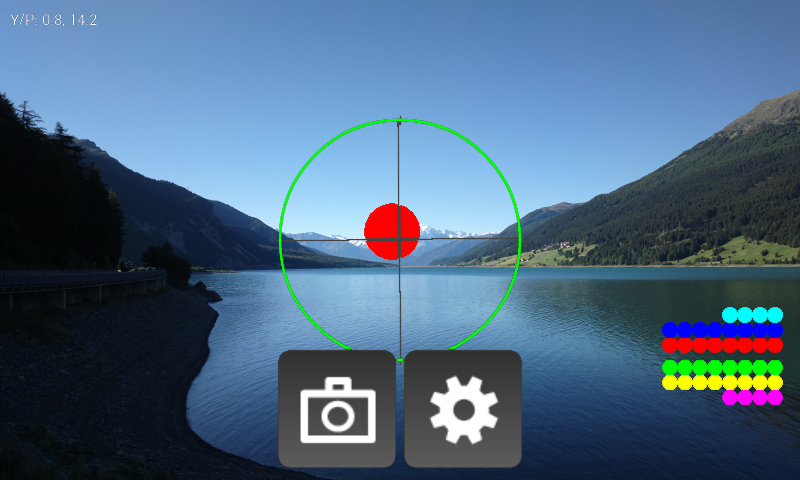
Panorama Assistant helps you to create great high resolution photo panoramas. Sensors such as gyroscope, compass, and accelerometer are used to perfectly align each shot. Panorama Assistant can also be used to calculate panorama vertical and horizontal rotations or as an attachment for external (e.g. DSLR) cameras.
Example mega- and gigapixel panoramas captured with Panorama Assistant can be viewed here: http://pano.mobwheel.com
NOTE: Panorama Assistant does not stitch panoramas but it assists in shooting perfect source images for panoramas which can then be fused into high resolution panoramas using your favorite software such as Photoshop, Autopano, etc.
Features:
- Capture source images for panoramas of any type (including spherical) without missing parts of the scene.
- Support for full resolution pictures (allows creating of spherical panoramas of 10th's of Megapixels!).
- Focus/Exposure locking by touching the viewfinder area
- Virtual capturing mode: use Panorama Assistant as a helper gadget for DSLRs (e.g. for Gigapixel panoramas) and compact cameras.
- Automatic or manual capturing: capture images automatically once the phone is in the correct position.
- Continue unfinished panoramas.
- Panorama calculator: calculate horizontal and vertical rotation angles based on sensor size, focal length, overlap, and camera position.
- Support for custom lens presets (can be shared).
- Support for custom photo storage location.
- Support for camera features (phone dependant) such as ISO, flash, focus mode, ...
Panorama Assistant Manual/Parameters: http://mobwheel.com/wb/downloads/panoassistan_parameters.pdf
Important: if horizontal movement does not work (correctly) then the compass is not ready. To fix this, move the phone around for a few seconds until horizontal movements works.
About Panorama Assistant
The company that develops Panorama Assistant is M-Apps. The latest version released by its developer is 1.4.
To install Panorama Assistant on your Android device, just click the green Continue To App button above to start the installation process. The app is listed on our website since 2014-01-22 and was downloaded 15 times. We have already checked if the download link is safe, however for your own protection we recommend that you scan the downloaded app with your antivirus. Your antivirus may detect the Panorama Assistant as malware as malware if the download link to com.teapps.panoassistant is broken.
How to install Panorama Assistant on your Android device:
- Click on the Continue To App button on our website. This will redirect you to Google Play.
- Once the Panorama Assistant is shown in the Google Play listing of your Android device, you can start its download and installation. Tap on the Install button located below the search bar and to the right of the app icon.
- A pop-up window with the permissions required by Panorama Assistant will be shown. Click on Accept to continue the process.
- Panorama Assistant will be downloaded onto your device, displaying a progress. Once the download completes, the installation will start and you'll get a notification after the installation is finished.
Program Details
System requirements
Download information
Pricing
Version History
version 1.4
posted on 2014-01-22
1.4.0,- Bug fixes
